


Why use eSIM overseas: your 2026 travel guide
Swapping SIM cards at foreign airports, hunting for a local phone shop, or copping a shocking roaming bill when you get home. These are the realities most travellers know too well. Understanding why use eSIM overseas has never been more relevant, with the technology now supported across hundreds of devices and carriers worldwide. This guide walks you through what an eSIM actually is, the real benefits it delivers abroad, what to watch out for, and how to get set up before your next trip.
Table of Contents
- Key takeaways
- Why use eSIM overseas: the basics first
- Real benefits of using eSIM abroad
- Limitations to know before you travel
- How to buy, activate, and use your eSIM
- eSIM vs physical SIM card abroad
- My take on eSIM after years of travel
- Get connected before your next trip with Esim4u
- FAQ
Key takeaways
| Point | Details |
|---|---|
| eSIM removes physical SIM hassle | No need to buy, carry, or swap plastic SIM cards when travelling overseas. |
| Prepaid pricing saves money | Travel eSIM plans use transparent prepaid pricing, often far cheaper than traditional roaming charges. |
| Dual SIM keeps your home number active | You can keep your Australian number for calls while using a travel eSIM for data. |
| Device compatibility matters | Only newer, unlocked phones support eSIM, so check your device before you travel. |
| Activate before you board | Purchase and install your eSIM at home over Wi-Fi so you are connected the moment you land. |
Why use eSIM overseas: the basics first
Before getting into the benefits, it helps to understand what you are actually dealing with. An eSIM, or embedded SIM, is a digital SIM profile built directly into your device. There is no physical card to insert or remove. eSIM removes the need to obtain, carry, or swap physical SIM cards, and it works for roaming abroad just like a traditional SIM would.
Activation is handled digitally. You either scan a QR code provided by your eSIM provider or use a carrier app, and the profile is loaded straight onto your device. The whole process takes a few minutes and can be done from your couch before you even pack your bag.
One of the less obvious advantages is storage. You can store 8 or more eSIM profiles on a single iPhone and switch between them through your Settings menu. That means you can pre-load plans for Japan, the UK, and the US before a multi-leg trip and switch between them as you go.
Here is a quick overview of how eSIM differs from a physical SIM:
- Physical SIM: A plastic card you insert into your phone. One card, one carrier, one country at a time.
- eSIM: A digital profile stored in your device. Multiple profiles, instant switching, no hardware required.
- Carrier locked devices: If your phone is locked to a carrier (common with phones bought on a plan), you may need to unlock it before using a third-party eSIM.
Pro Tip: Check whether your phone is carrier locked before purchasing any eSIM plan. You can usually find this in your device settings under “Carrier Lock” or by contacting your current provider.
Real benefits of using eSIM abroad
This is where eSIM technology genuinely earns its place in your travel kit. The travel eSIM market is projected to be worth $1.75 billion in 2026, and that growth is driven by travellers who have experienced the difference firsthand.
No more SIM card scrambles
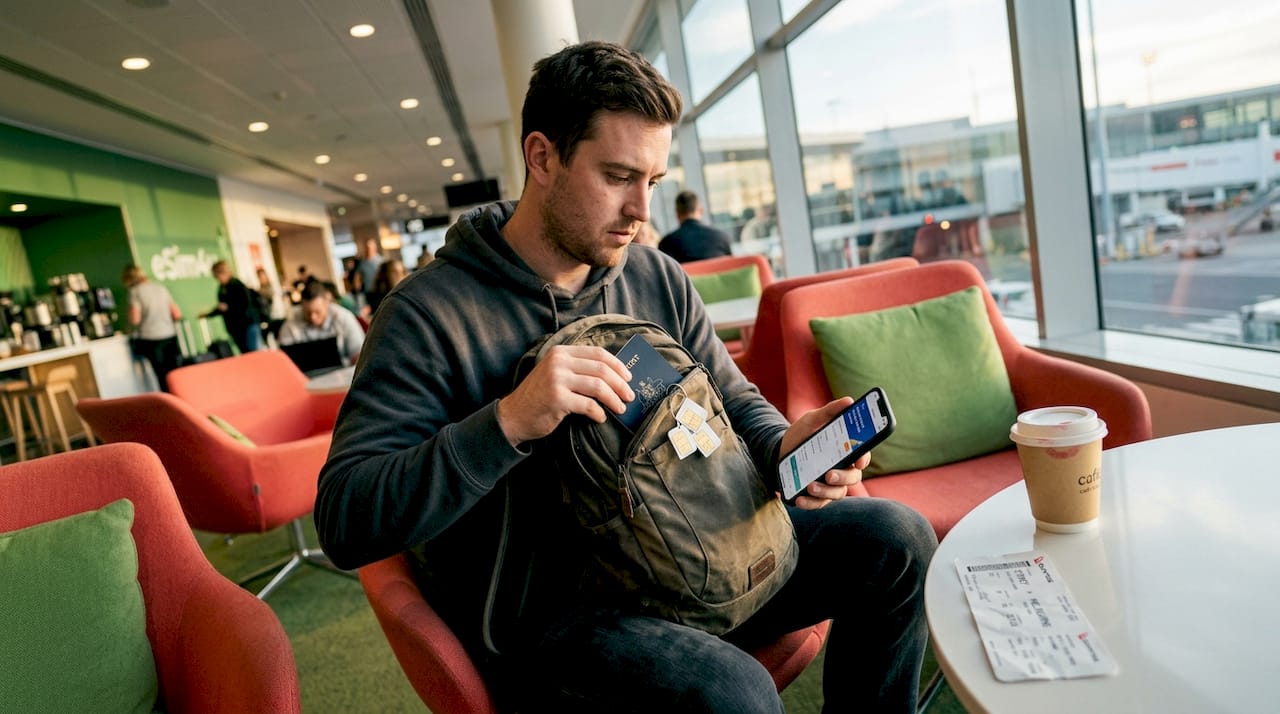
The most immediate benefit is convenience. You do not need to find a phone shop, queue at an airport kiosk, or figure out a foreign carrier’s prepaid options in a language you do not speak. You buy your plan online, scan a QR code, and you are done. That is it.
Transparent, prepaid pricing
Travel eSIM pricing works as prepaid data bundles, which is a fundamentally different model to traditional roaming. Roaming involves complex billing through global carrier partnerships, and those markups can be significant. With a prepaid eSIM, you know exactly what you are paying before you leave home.
Keep your Australian number active
Using dual SIM functionality, you can keep your home number active for calls and SMS while running a local data line through your travel eSIM. This is particularly useful if you are expecting work calls or need to receive two-factor authentication codes on your Australian number.
Security you do not get with a physical card
If your phone is lost or stolen overseas, a physical SIM can be removed and used in another device. An eSIM cannot be physically removed from your phone, which adds a meaningful layer of security when you are travelling in unfamiliar places.
Flexibility for frequent travellers
If you visit the same destinations regularly, you can store and reuse eSIM profiles without needing to repurchase or re-activate each time. Load your Japan plan, use it, and it stays on your device ready for your next trip.
Limitations to know before you travel
eSIM is not perfect for every traveller or every situation. Knowing the limitations upfront saves you from being caught out.
The biggest constraint is device and carrier eligibility. Most phones released before 2019 do not support eSIM at all. Even some newer budget Android models lack it. And if your phone is carrier locked, you may be blocked from using a third-party eSIM provider entirely.
Here are the main limitations to be aware of:
- Older devices: eSIM is generally only available on phones from 2019 onwards, including iPhone XS and later, and select Android models from Samsung, Google, and others.
- Carrier locked phones: Phones purchased through a carrier on a plan may be locked and unable to use external eSIM profiles.
- Activation needs Wi-Fi: eSIM activation requires Wi-Fi and sometimes ID verification depending on the country’s regulations. You cannot activate an eSIM using mobile data.
- Coverage gaps: eSIM plans rely on local network partners. In remote or rural areas, coverage may be limited regardless of which provider you use.
- Country-specific restrictions: A small number of countries have restrictions on eSIM use. Always verify that your destination supports the plan you are buying.
Pro Tip: Always activate your eSIM at home over your own Wi-Fi before you travel. Trying to activate at a foreign airport on a shaky public network is a recipe for frustration.
How to buy, activate, and use your eSIM
Getting set up is straightforward when you follow the right order of steps.
- Check device compatibility. Go to your phone settings and confirm eSIM is supported. On iPhone, look under Settings > General > About > Available SIM. On Android, the path varies by manufacturer.
- Confirm your phone is unlocked. Contact your carrier or check settings to verify your device is not locked to a specific network.
- Choose a plan. Compare providers based on your destination, data needs, plan validity, and price. Options like a global 120+ country eSIM work well for multi-country trips, while regional plans suit single-destination travel.
- Purchase before you leave. Buy your eSIM online at least 24 hours before departure. You will receive a QR code by email.
- Activate over Wi-Fi at home. Scan the QR code through your phone’s eSIM settings. The profile loads in minutes.
- Set your travel eSIM as the data line. This step is critical. Set your travel eSIM as the active data line and keep your home SIM assigned to calls and SMS only. This prevents your home SIM from accidentally connecting to a roaming network and generating unexpected charges.
- Monitor your data usage. Check your remaining data in settings or through your provider’s app. Know your plan’s expiry date so you are not left without data mid-trip.
| Step | Action | When to do it |
|---|---|---|
| Check compatibility | Confirm eSIM support in device settings | At least 1 week before travel |
| Purchase plan | Buy online and receive QR code | 1 to 2 days before departure |
| Activate eSIM | Scan QR code over home Wi-Fi | Night before travel |
| Set data line | Assign travel eSIM as data, home SIM for calls | Before boarding |
| Monitor usage | Check data balance regularly | During trip |
Pro Tip: If you travel to the same country regularly, do not delete your eSIM profile after the trip. Many providers allow you to top up or reactivate an existing profile, saving you the setup process next time.
eSIM vs physical SIM card abroad
Both options can work, but they suit different travellers and different trips.
Prepaid eSIM plans are typically cheaper than roaming packages or airport SIM cards, which often carry a premium for convenience. A local SIM bought at a foreign airport can cost two to three times more than an equivalent eSIM plan purchased online beforehand.
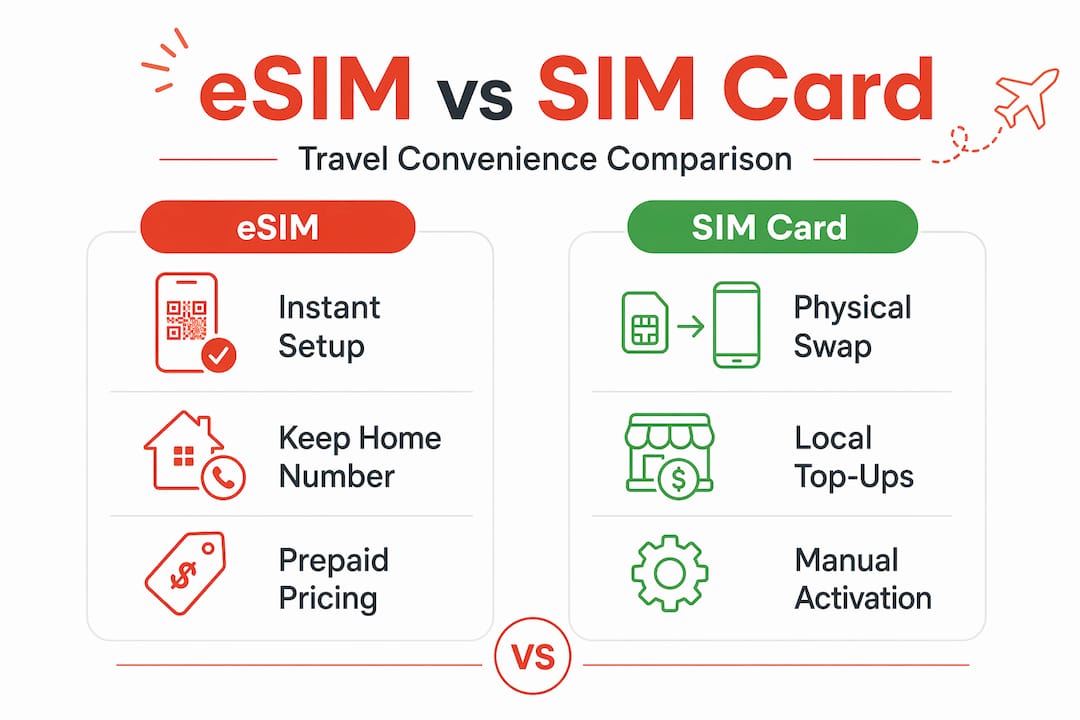
| Feature | Travel eSIM | Physical SIM | Roaming |
|---|---|---|---|
| Setup speed | Instant, before travel | Requires in-person purchase | Automatic but costly |
| Cost | Prepaid, transparent | Variable, often overpriced at airports | Expensive, complex billing |
| Dual SIM | Yes, keep home number active | Replaces home SIM | Uses home SIM |
| Security | Cannot be physically removed | Can be stolen or lost | Uses home SIM |
| Coverage | Depends on plan and partners | Local carrier coverage | Depends on roaming agreements |
| Best for | Most international travellers | Long stays, remote areas | Short trips, no time to prepare |
Physical SIMs still make sense in a few scenarios. If you are staying in one country for several months, a local SIM with a long-validity plan may offer better value. In very remote regions where eSIM coverage is patchy, a local SIM from a dominant regional carrier might give you stronger signal.
The smart move for most travellers is to use an eSIM as your primary travel data solution and keep your home SIM active for calls. That combination covers the vast majority of situations you will encounter.
My take on eSIM after years of travel
I have used eSIMs across Europe, Southeast Asia, and the Americas, and the honest truth is that I wish this technology had existed a decade ago. The amount of time I wasted hunting for SIM card shops, dealing with language barriers at carrier counters, and then discovering my new SIM barely worked outside the capital city was genuinely frustrating.
What I have found is that the biggest mistake travellers make is not checking device compatibility early enough. I have spoken to people at airports who bought an eSIM plan and then discovered their phone was carrier locked. That is a stressful situation that is entirely avoidable with five minutes of preparation at home.
For frequent travellers, the ability to store multiple profiles is genuinely useful. I keep profiles for destinations I visit regularly and simply reactivate them rather than going through the full purchase process each time. It saves time and usually saves money too.
My caution is around remote destinations. eSIM coverage in rural parts of Southeast Asia or Africa can be inconsistent, and in those cases I do carry a backup physical SIM from a dominant local carrier. Having both options available gives you a safety net.
The trend is clear. eSIM is becoming the default for international connectivity, and the travellers who adopt it early are the ones spending less time dealing with connectivity problems and more time actually enjoying their trips.
— Peter
Browse global and regional plans built for Australian travellers, with transparent prepaid pricing and no surprise charges. Whether you are heading to one country or ten, Esim4u has you covered. Plans are available for both Apple and Android devices, with simple step-by-step guides for iPhone eSIM setup and Android eSIM activation. Visit Esim4u to compare plans and get connected before you board.
FAQ
What is an international eSIM?
An international eSIM is a digital SIM profile you load onto your device to access mobile data in foreign countries. It works like a local SIM card but is activated digitally, with no physical card required.
Is eSIM worth it for overseas travel?
Yes, for most travellers eSIM offers lower costs, faster setup, and the ability to keep your home number active. Prepaid eSIM plans are typically cheaper than roaming and eliminate the need to buy a physical SIM abroad.
Does eSIM work on all phones?
No. eSIM is generally supported on phones released from 2019 onwards, including iPhone XS and later and select Android models. Carrier locked devices may also be unable to use third-party eSIM plans.
Can I use eSIM and keep my Australian number?
Yes. Most modern phones support dual SIM functionality, letting you run your Australian number for calls and SMS alongside a travel eSIM for data at the same time.
Do I need Wi-Fi to activate an eSIM overseas?
Yes. eSIM activation requires a Wi-Fi connection. Activating your eSIM at home before you travel is strongly recommended to avoid issues with unreliable airport or hotel Wi-Fi networks.
Related Blogs
Explore the World Without Roaming Worries



100% Money Back Guarantee
If you cancel your trip or experience tech issues that we can’t fix; we’ll refund you 100%.